See how GateKeeper works
From setup to your first vendor booking in under 5 minutes
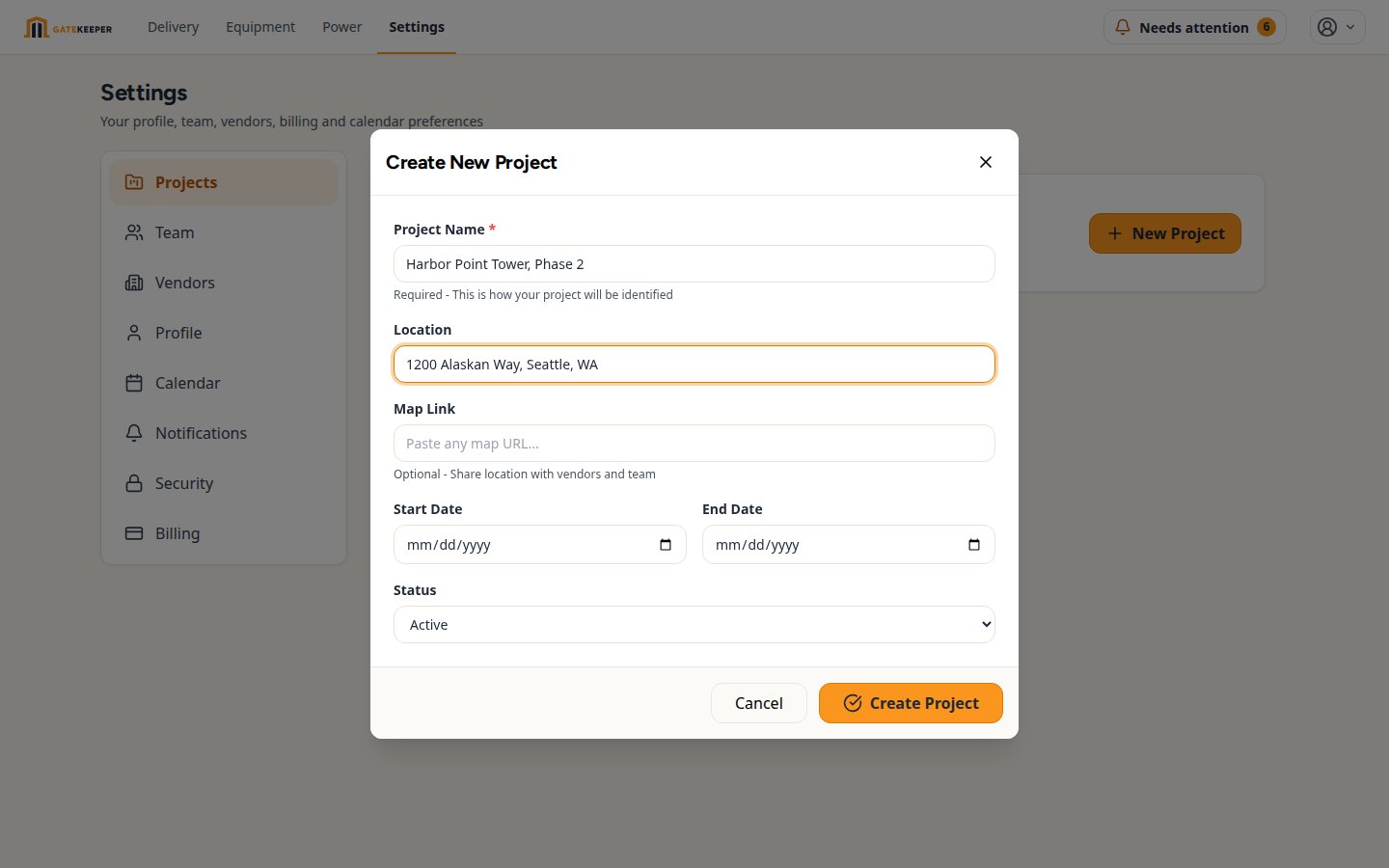
Create Your Project
Name your project, set the address, and define your operating hours. This is your home base for all delivery coordination.
Every project includes a map link so your vendors always know exactly where to go.
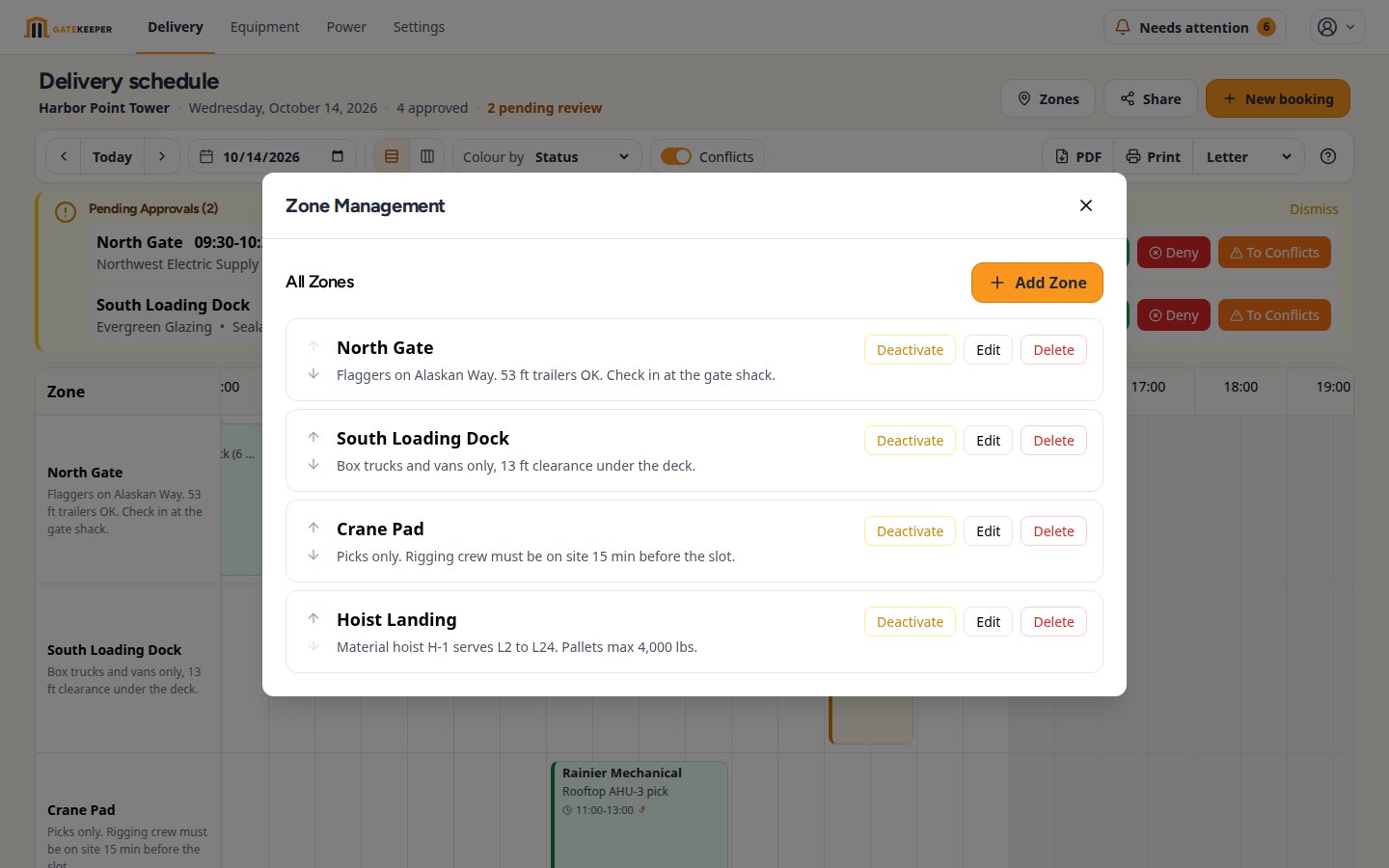
Set Up Delivery Zones
Define where deliveries can happen — loading docks, crane zones, main entrance. Each zone gets its own schedule and capacity.
Each zone can have its own map pin for precise drop-off directions.
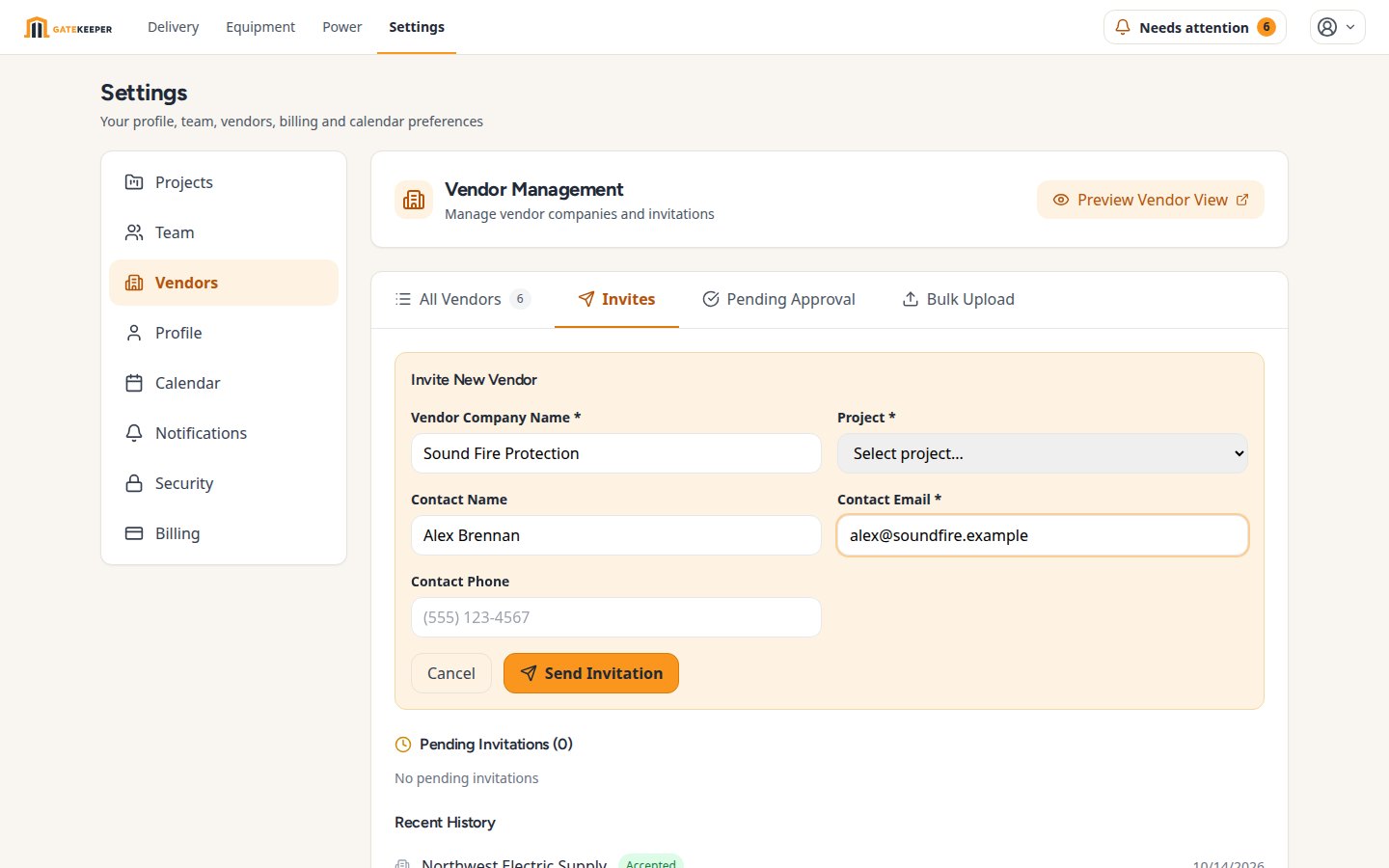
Invite Your Subcontractors and Vendors*
Send a link to your vendors. They create a free account and can immediately start booking delivery slots. No training needed.
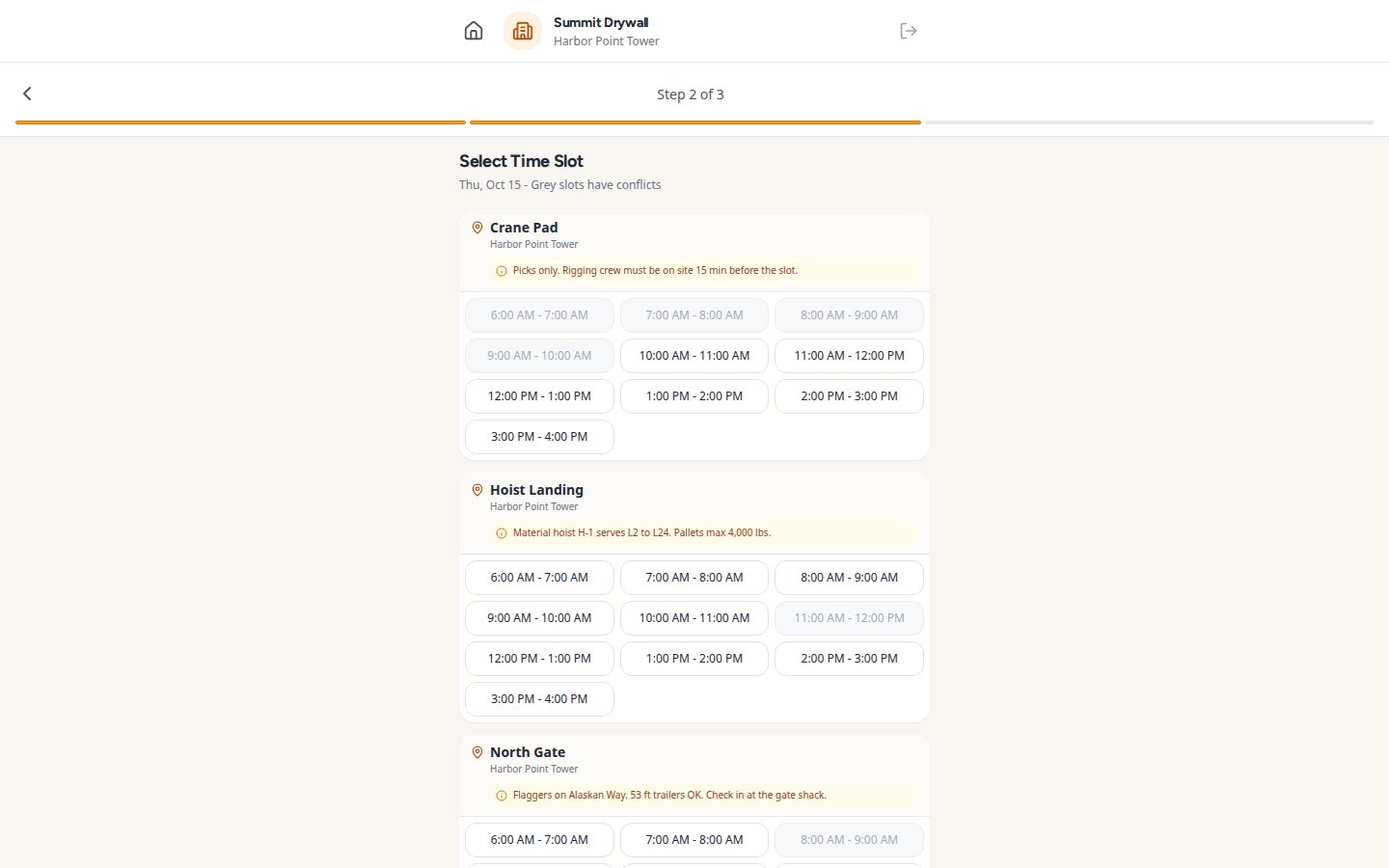
Vendors Book Themselves*
Vendors see available time slots and zones, pick what works, and submit their booking request. Conflicts are highlighted automatically.
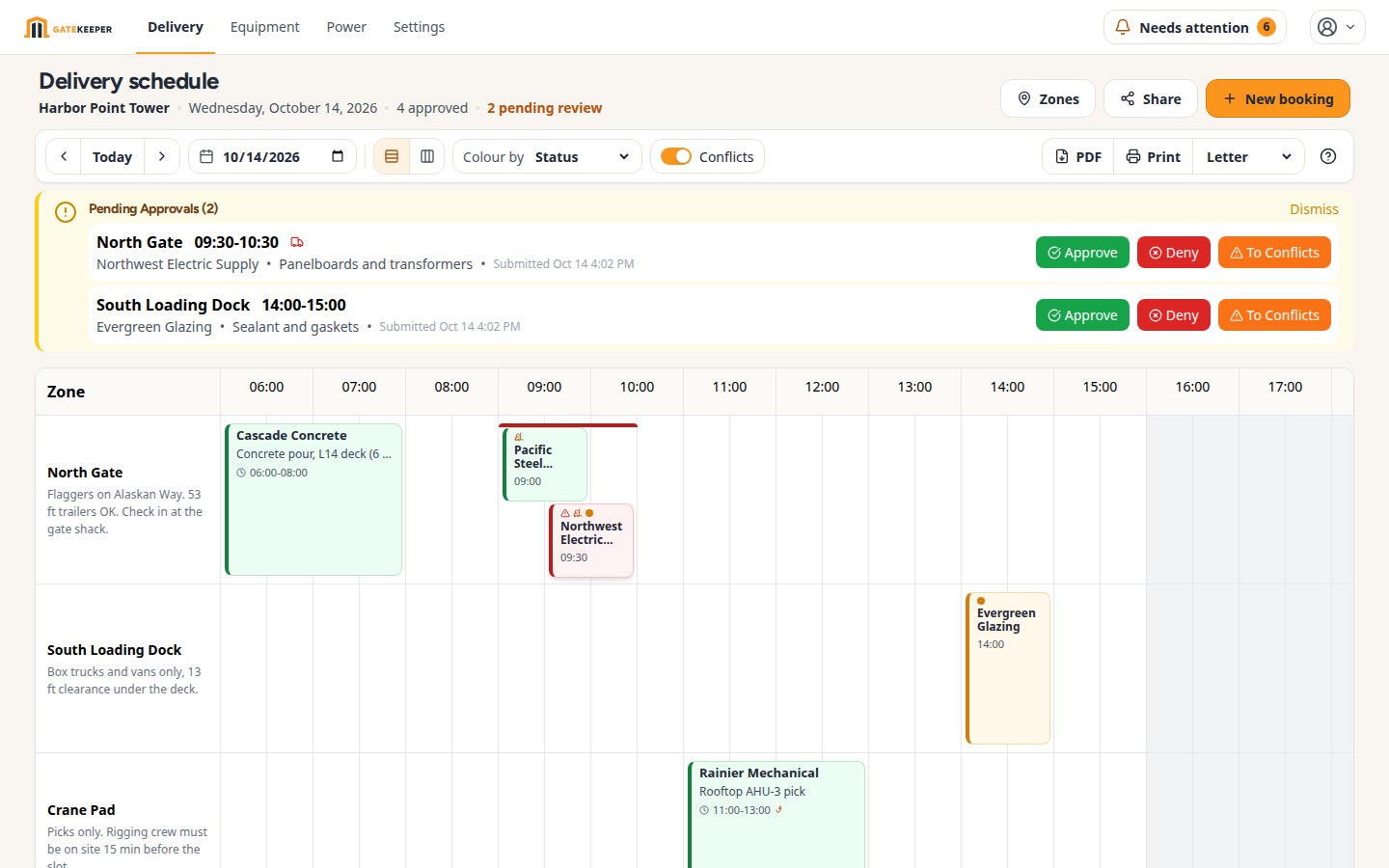
Approve With One Click*
You get a notification, review the booking, and approve or request changes. Your calendar updates in real time.
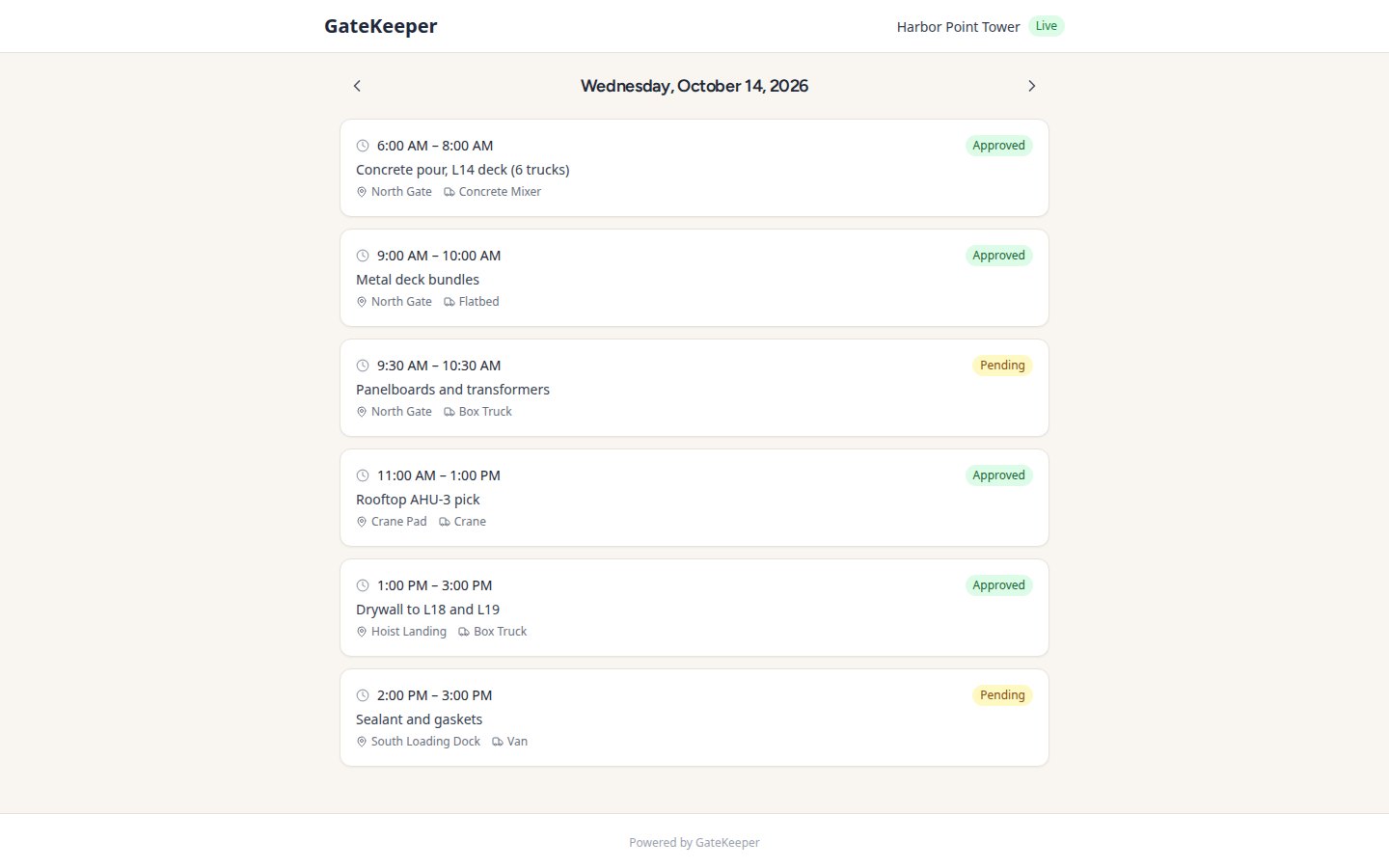
Share and Print**
Export the day's schedule as a PDF for morning meetings, or share a live link with your team. Everyone stays on the same page.
* Vendor self-booking is included on every plan: up to 3 vendor companies per project on Free, 10 on Starter, unlimited on Professional and Enterprise.
** Requires a Starter subscription or above.