Everything you need to run the gate
Deliveries, cranes, hoists and forklifts on one calendar. Built by a working superintendent.
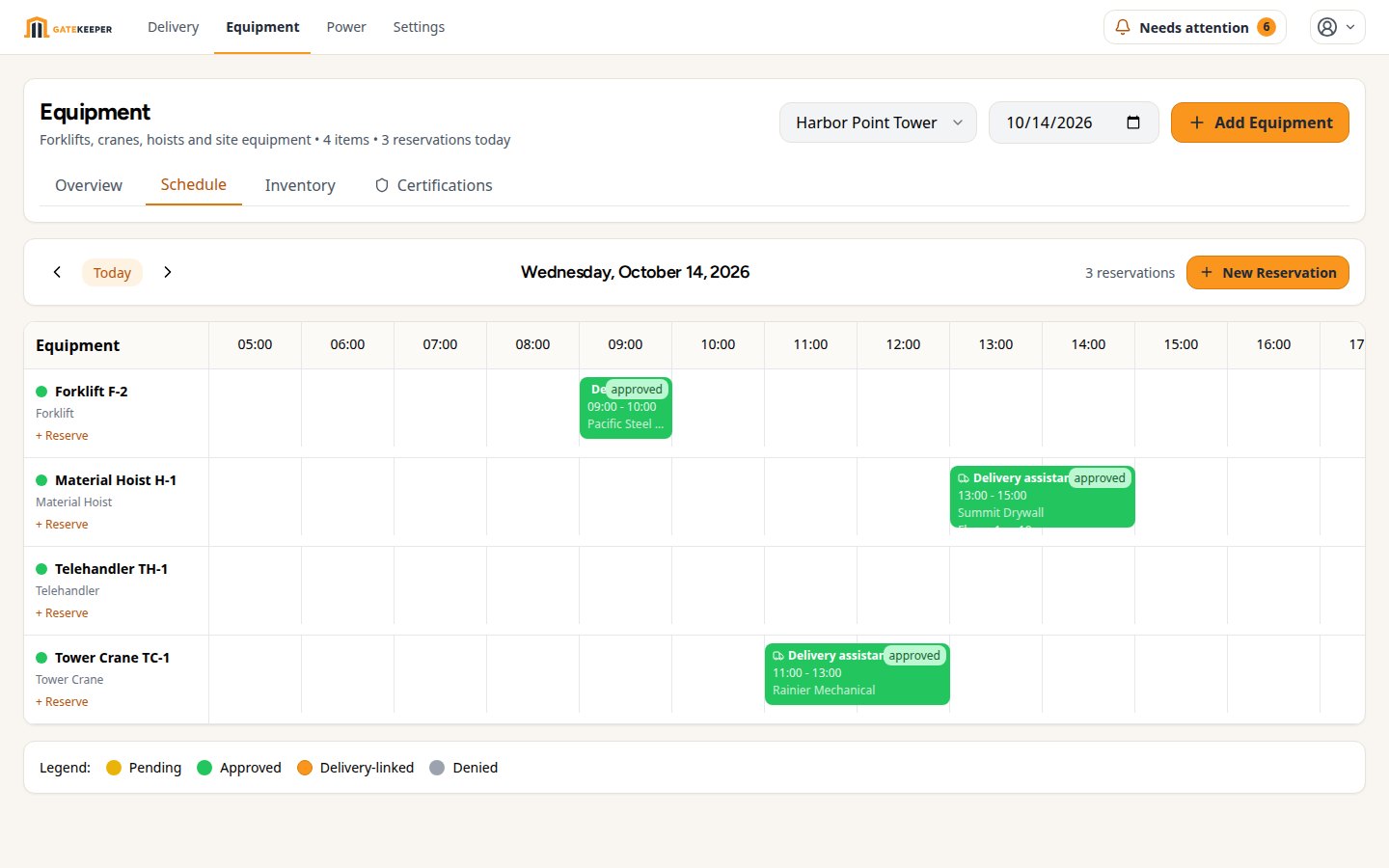
Cranes, hoists and forklifts on the same calendar
A crane is a resource with a capacity of one. GateKeeper treats it that way. Add your tower crane, material hoist and forklifts once, with floors served, capacity and the zones each can reach.
- Reserve with a delivery or on its own. A steel truck books the crane for its window; the electrician books the hoist for a Saturday with no delivery at all.
- Vendors can ask too. The portal only offers equipment that serves their zone. You approve, or override a flagged overlap when you know better.
- Reservations follow the booking. Move or cancel the delivery and the crane time moves or frees with it. No orphaned holds.
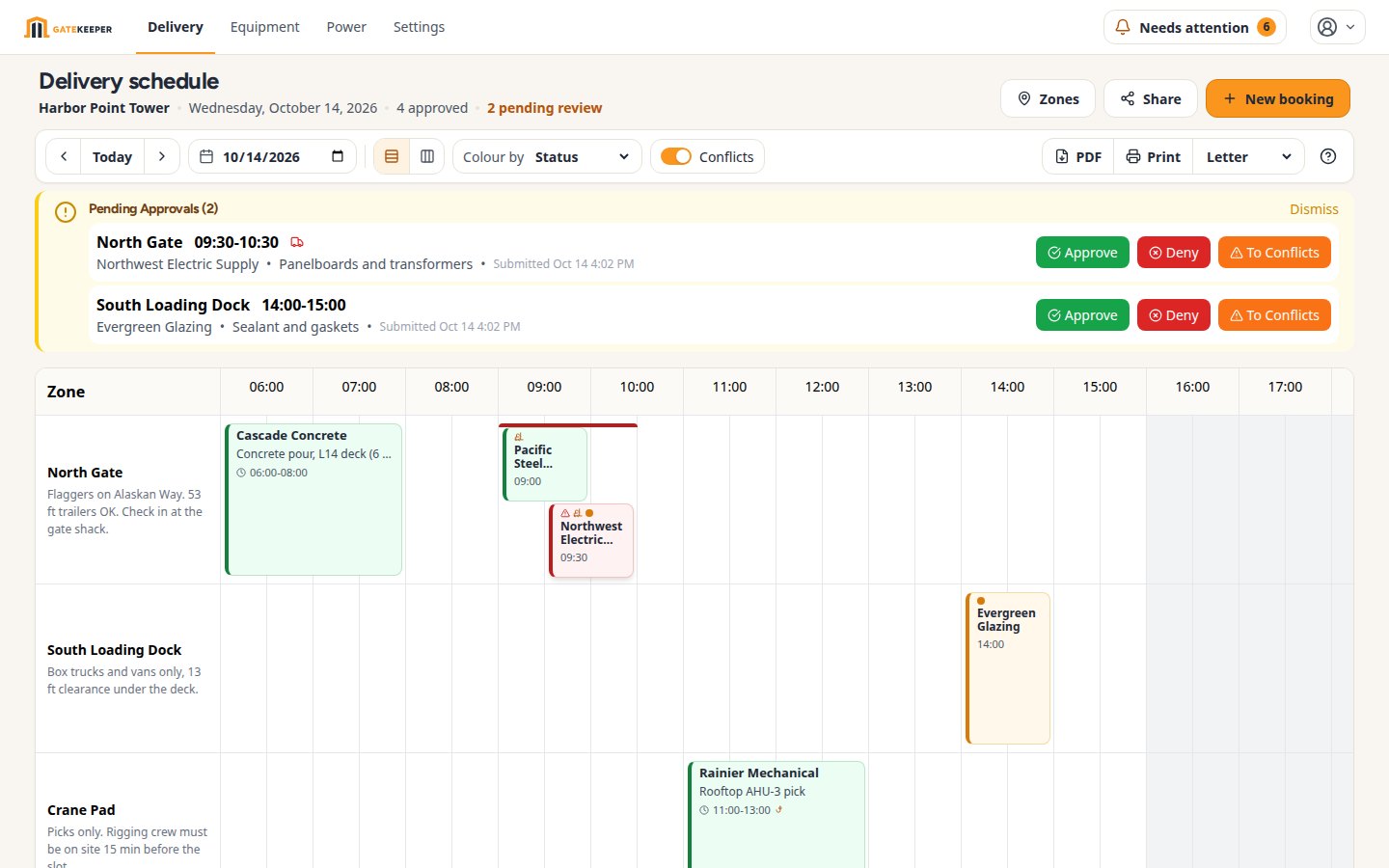
Zones that match the real site
Street loading area, Dock A, main entrance, back entrance. Each zone is a row with its own hours, truck limits and a map pin, so a driver knows which curb before they leave the yard.
Vendor self-service portal
Send your vendors a link. They see open slots, pick a time and zone, and submit the request. They can check its status, ask for a change, or set up a repeating delivery themselves. Free for them on every plan.
Conflict detection
If a zone, time slot or piece of equipment is already taken, the overlap is flagged in the queue and on the calendar before you approve. You see the facts and decide: move one, or approve anyway when you know the site can take it. No more two concrete trucks at the same dock.
One approval inbox
Every booking request, change proposal and equipment ask across all your projects lands in one queue. Review who, what, when and where, and approve from your phone at the gate. Vendors hear back right away.
Built-in map links
Every project and every zone can carry a map link. Vendors see where the site is and where their drop-off point is. No phone calls for directions, no wrong turns on a site with three gates.
Every job site in one account
Run all your active projects from one login. Each project has its own zones, vendors, equipment and schedule; the inbox pulls them together.
Share and print
Post a live, read-only schedule link for the whole crew (Professional and up), or print a clean one-page PDF of the day for the morning huddle and the gate (Starter and up). What you see on screen is what prints.